
This setting is optional and only intended for use if ALL apps require using certain APIs.
Use Case: All Apps Require an API
An e-commerce retailer who sells through affiliates may want all partner sites to use the same APIs, specifically inventory. That way, if a purchase is made, inventory is updated and accurate for all websites.
Choosing Your Default Products
The default products list can be accessed by navigating to:
Site Config → Apigee Edge → Apps → General
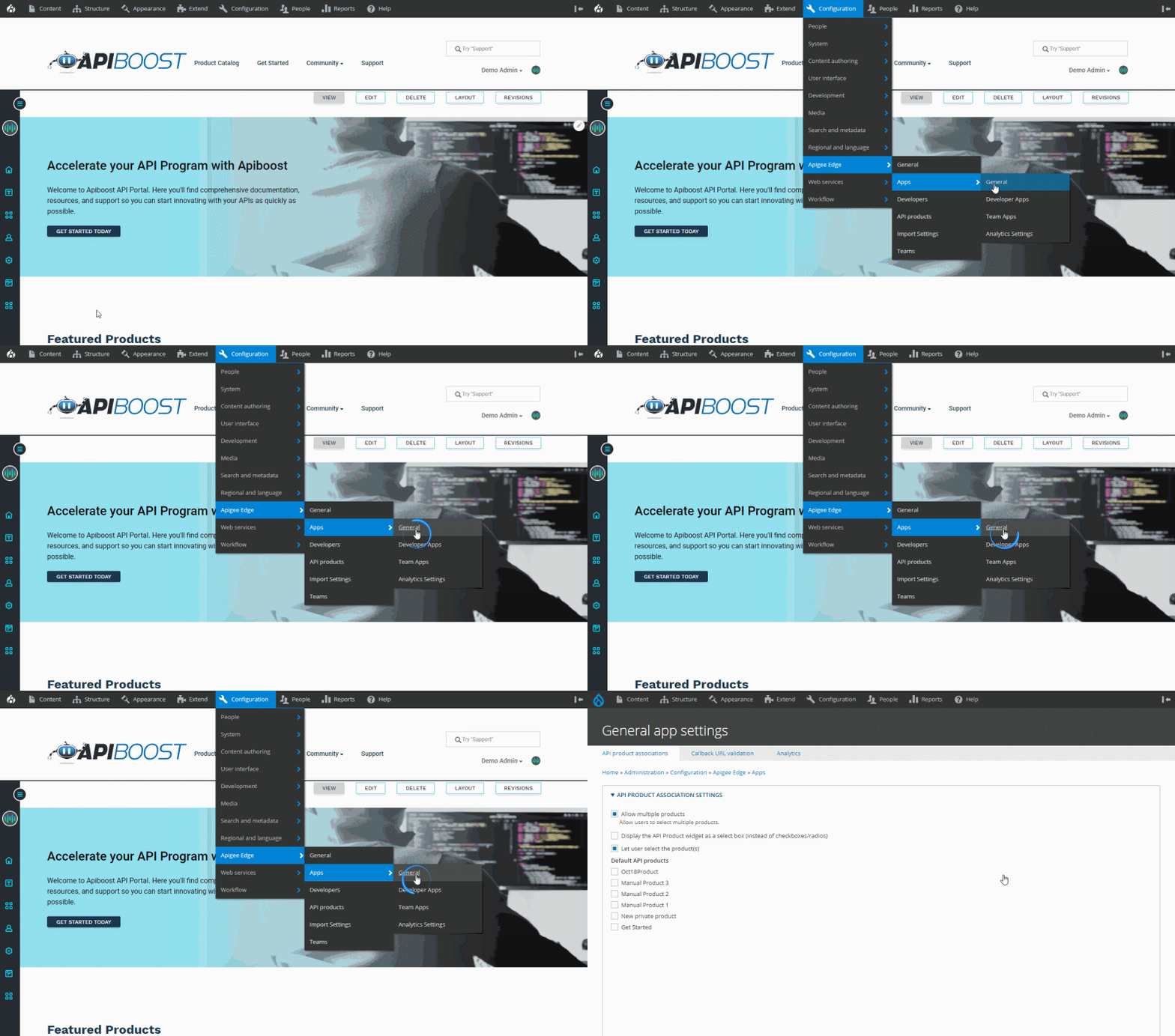
You’ll be taken to a list of APIs imported to the portal from Apigee. Select the APIs you want to be default when creating an app, and save.
Note: To be used in an app, product documentation for your Apigee API must exist.
Setting private APIs to Default may cause undesired effects and is not recommended.