
Apiboost has introduced a powerful new add-on feature that enables seamless synchronization of API documentation from SwaggerHub. This SwaggerHub sync add-on allows users to directly import API documentation into Apiboost, streamlining the process of keeping API documentation consistent and up-to-date across platforms.
Key features of this integration include:
-
Direct import of API documentation from SwaggerHub
-
Real-time updates and synchronization using lightweight webhooks
-
Bulk import functionality for efficient initial setup
-
Support for personal and organizational SwaggerHub accounts
-
Versioning support to prevent creation of duplicate documents [Roadmap]
By leveraging this integration, Apiboost administrators can continue to use the robust API Documentation and schema validation of SwaggerHub without managing API Specifications in multiple Developer Portals or having to manage multiple user instances and permission systems. Additionally, it helps to link API Documentation with the API Products you are using in Apiboost to promote visibility and adoption of your APIs. This helps to save time, ensure consistency in your documentation, and simplify the API management workflow.
Connecting SwaggerHub with Apiboost
-
Log in to your SwaggerHub instance with an administrator account.
-
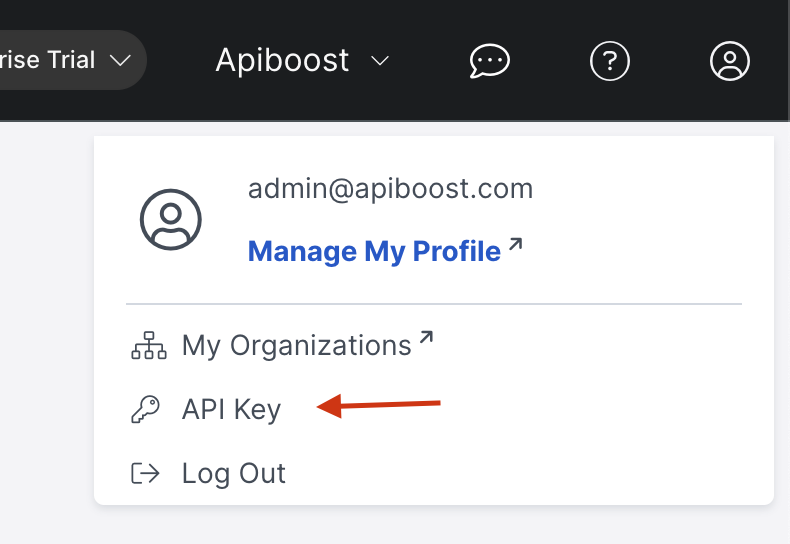
In top right corner of UI, click the Account icon and click API Key
-
Next to API Key, click Copy

-
Navigate to your Apiboost Developer Portal and log in as a SaaS Administrator.
Mosaic macros cannot be exported to this format.
-
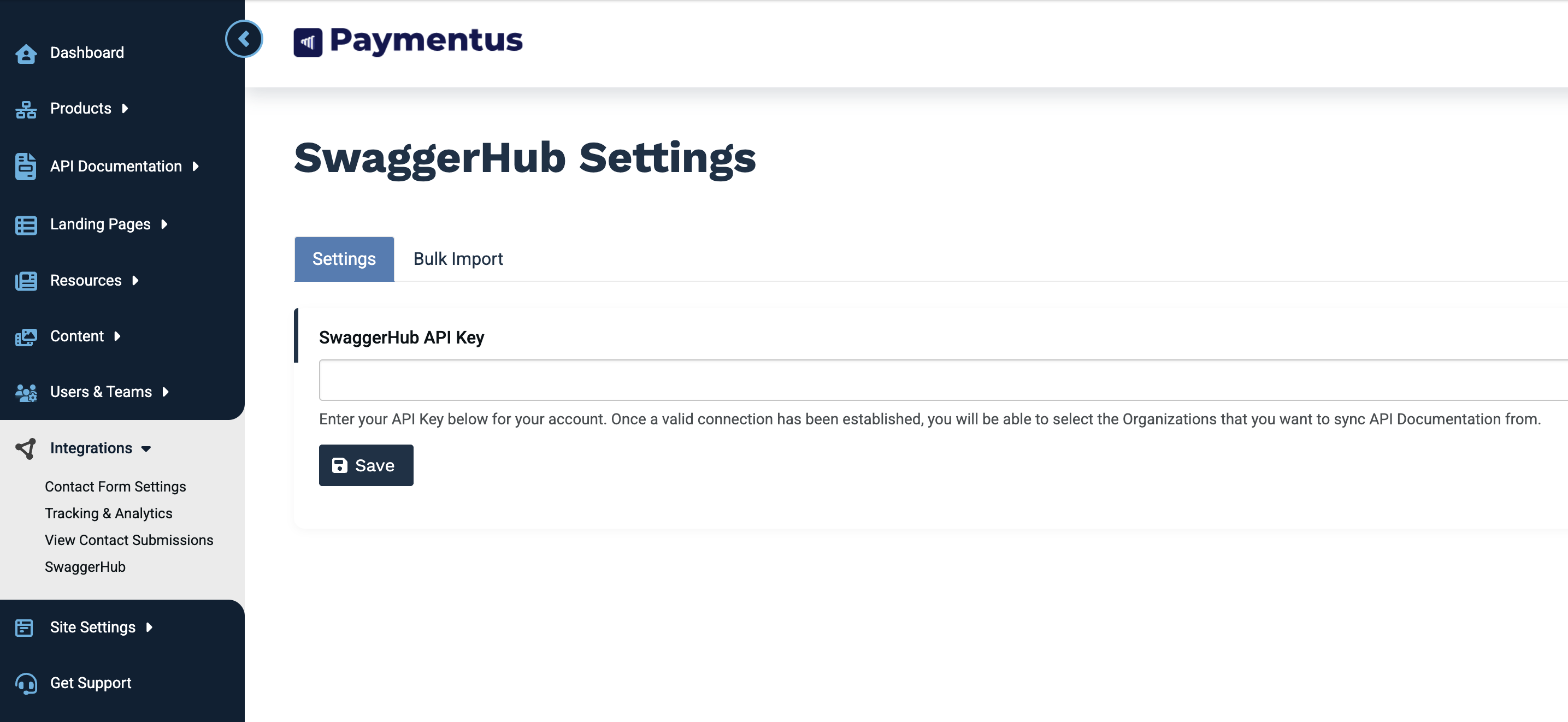
In Apiboost Admin navigation, expand Integrations and click SwaggerHub.
-
On the SwaggerHub configuration page, paste your API Key and click Save.
-
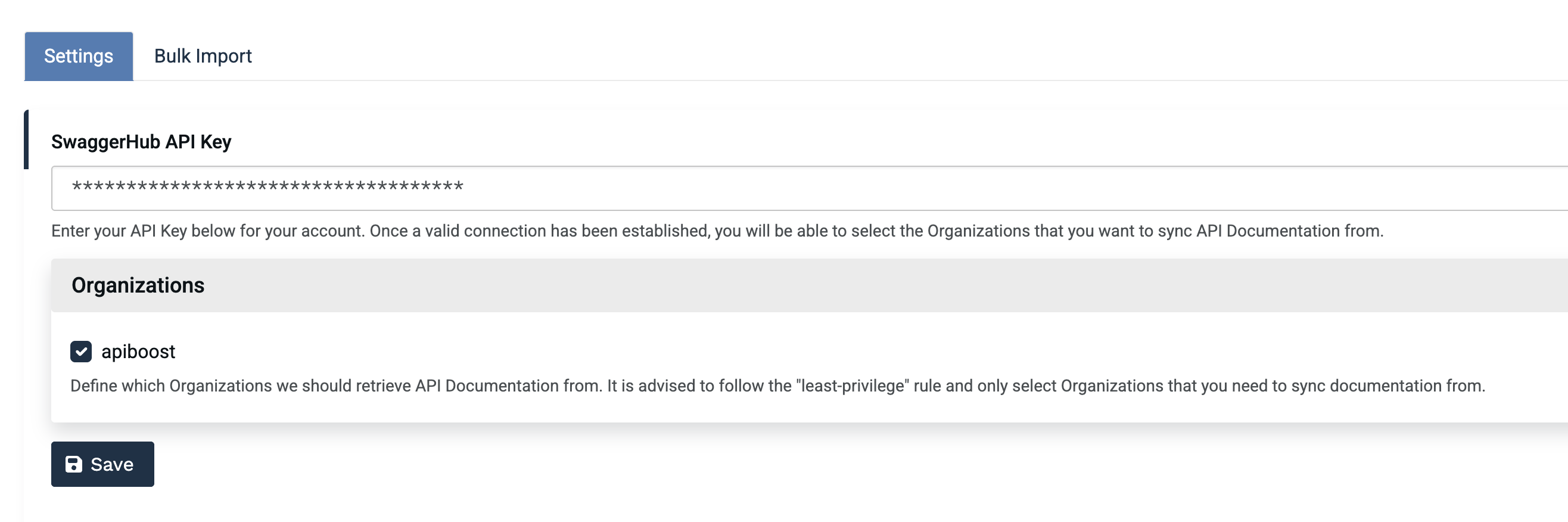
After you have entered your API Key into the field and saved the form, you can now select which Organizations you would like to allow for administrators to retrieve and sync API Documentation from in SwaggerHub.
🥳 Congratulations! You’ve successfully connected Apiboost to your SwaggerHub instance.
Next Steps:
Mosaic macros cannot be exported to this format.