
Apiboost keeps private data protected using granular access layers.
Security Basics
Apiboost keeps your portal secure through a series of access checks and inherited permissions. Users have internal roles, and separate controls granted to them by access groups. The portal’s content security policy (CSP) is entirely configurable to suit the needs of your organization and keep data safe.
Role-Based Access Control for Internal Users
The first layer of user access granularity is the RBAC for the CMS itself. Everyone who visits the website has an explicit role associated with them. Your admins, product owners, etc. exist as site staff with specific access to Apiboost functionality. A regular, “authenticated” user is given some basic permissions such as viewing restricted products or posting in the forums. The same goes for anonymous users who aren’t logged in, who may be able to view a forum thread since those are public, but not post without registering.
Access Groups
As we previously covered, teams have their own internal hierarchy of access controls. What about the teams themselves though? A team isn’t a user that can be given a role, and even if they could, roles macro-level, paying more attention to the content types than the actual content. For this reason, Apiboost uses Access Groups to administer permissions related to specific product nodes. That way, access to a private product can easily be granted to both teams and individual developers.
Content Security Policy (CSP)
Apiboost gives administrators direct control over the portal's content security policy — no external tools or configuration files required.
Apiboost includes a built-in, fully configurable security layer designed to protect your Developer Portal against common web application threats, including cross-site scripting (XSS), cross-site request forgery (CSRF), and clickjacking. All controls are managed from a single, centralized administration panel within the portal.
To access CSP settings, navigate to:
Site Settings → CSP Policies
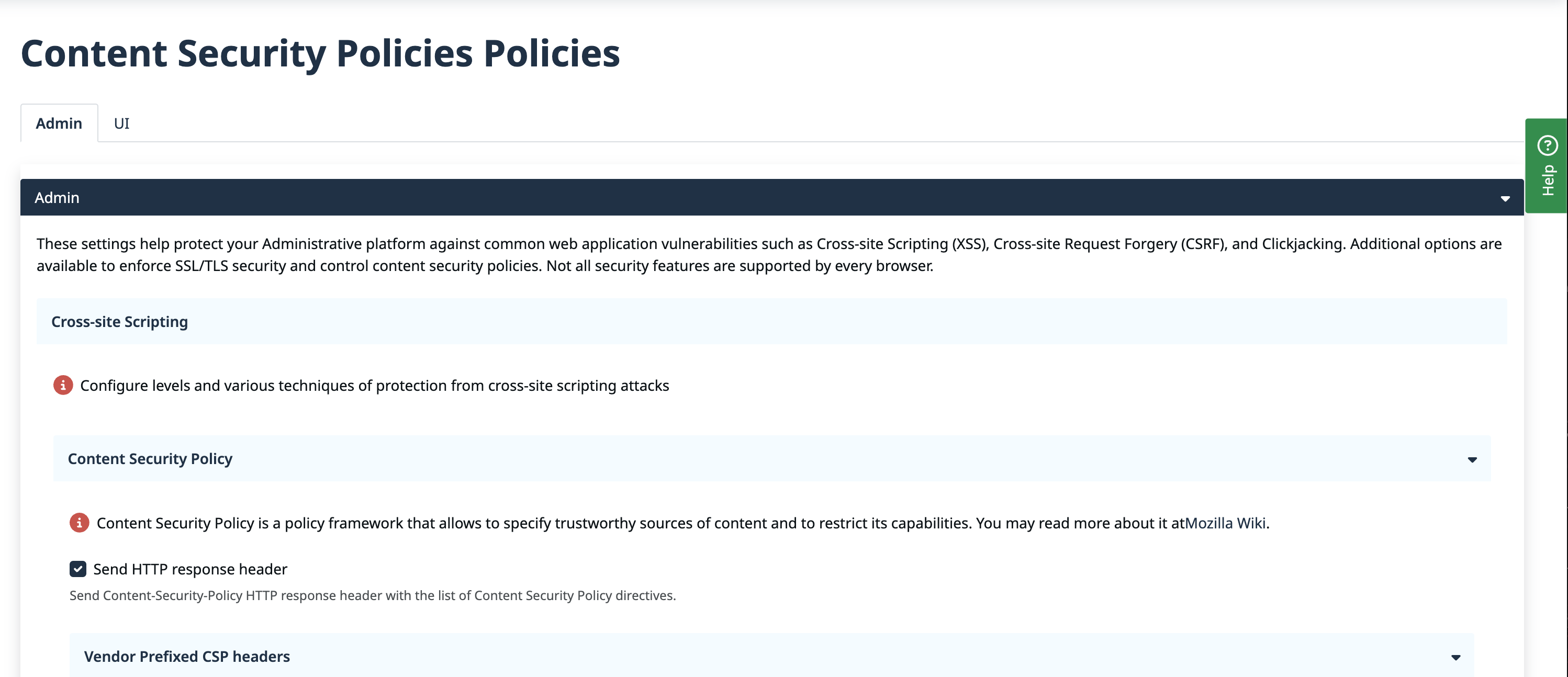
Apiboost CSP Policies
The CSP Policies panel is organized into two configuration surfaces:
-
Admin — Controls server-enforced security headers, CSRF origin validation, SSL/TLS enforcement, and frame embedding restrictions for your administration portal.
-
UI — Manages front-end CSP directives, including permitted script and style sources, allowed connection endpoints, and frame ancestor rules.
Apiboost automatically keeps your CSP consistent when third-party integrations are configured. When you connect an analytics provider or other external service, the relevant CSP directives are updated automatically — no manual policy adjustments required.
For a deeper reference on CSP directive syntax and options, consult the W3C Content Security Policy specification.
Keep your data secure by reviewing and updating your CSP policies whenever you add or modify external integrations.